
Installation
Debian / Ubuntu
Note: the current version of OpenSSH is 10.1, but feel free to download the latest version available on the official website: https://www.openssh.com/releasenotes.html
Initialising variables
Go to the repository and download the latest version: https://cdn.openbsd.org/pub/OpenBSD/OpenSSH/
Install the necessary tools
VERSION : specifies the version of OpenSSH you wish to install.
URL : direct link to the OpenSSH tar.gz archive for this version.
SIG_URL : link to the corresponding PGP signature file, to verify the integrity and authenticity of the archive.
Secure download with TLS encryption and SSL verification
Download the associated signature
Secure download of the official OpenSSH PGP key via TLS
Verifying OpenSSH public keys
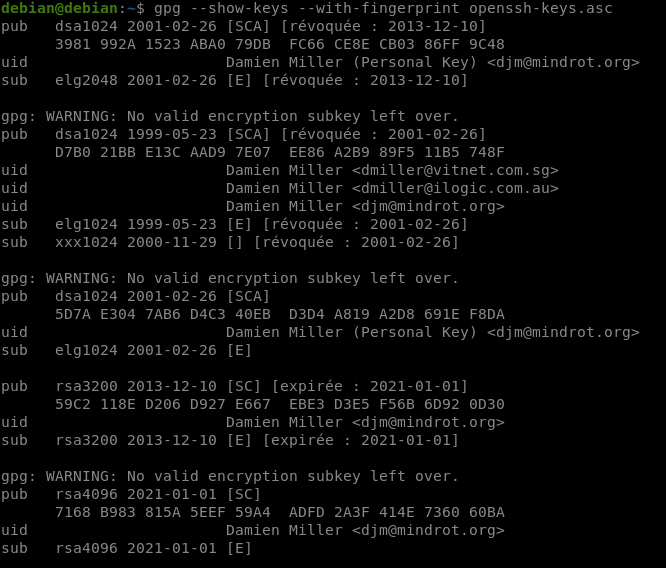
Before verifying the OpenSSH file signature, it is recommended to verify the fingerprint of the keys contained in openssh-keys.asc.
The command below displays all public keys and their fingerprints to ensure that they match the official keys published by OpenSSH
This command imports the public key downloaded from the official OpenSSH website into your GPG keyring, which then allows you to verify the signatures of downloaded files.
Signature verification
